Setup Guide
 VPN Use Cases
 Account & Billings
 Video Tutorials
 Faq's
Faq's

How to Configure Ivacy on GL iNet Router (OpenVPN)
 13817 Views
 March 18, 2020
 Andrew
 31 Comments
 3
3Before you begin, please make sure:
- You must have an active internet connection.
- VPN Supported Router.
- Own a premium Ivacy account (If you do not already own one, you can buy a subscription from here)
This image shows how your VPN setup will look like:
1a. Shows an Ethernet connection from the router to computer.
1b. Shows wireless connection from the router to the computer.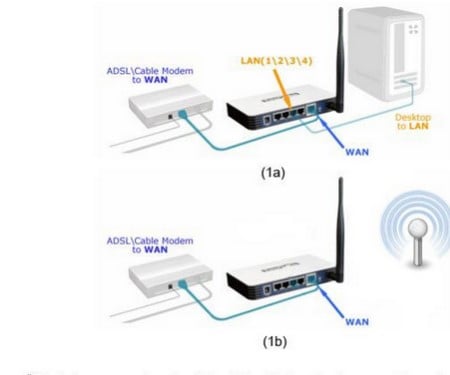
- Select OpenVPN and navigate to OpenVPN configurations. Now download these files from here (Download OpenVPN Files with Certificates)
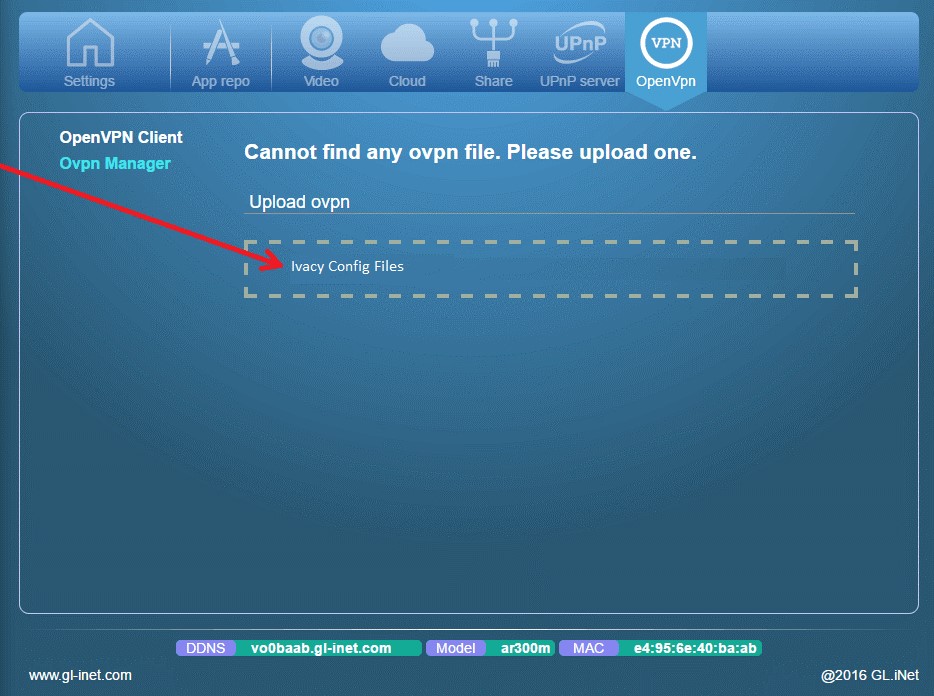
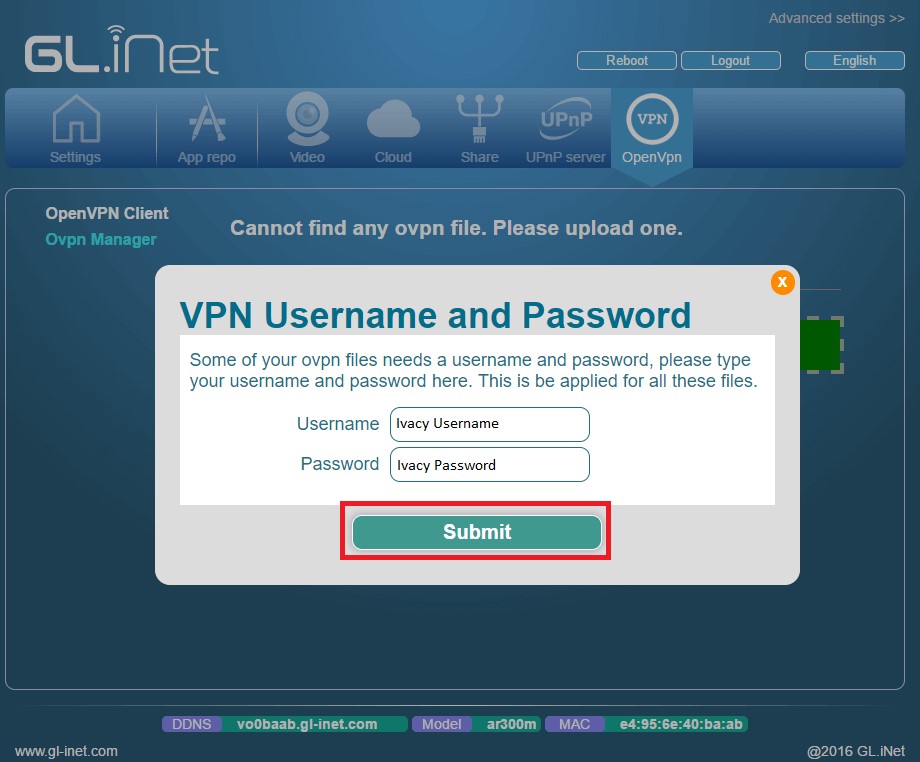
- Drag and drop your selected ovpn file to your router. A new window will pop up asking you to specify your Ivacy credentials. Enter your credentials.
- Next, put a tick next to the Enable option.
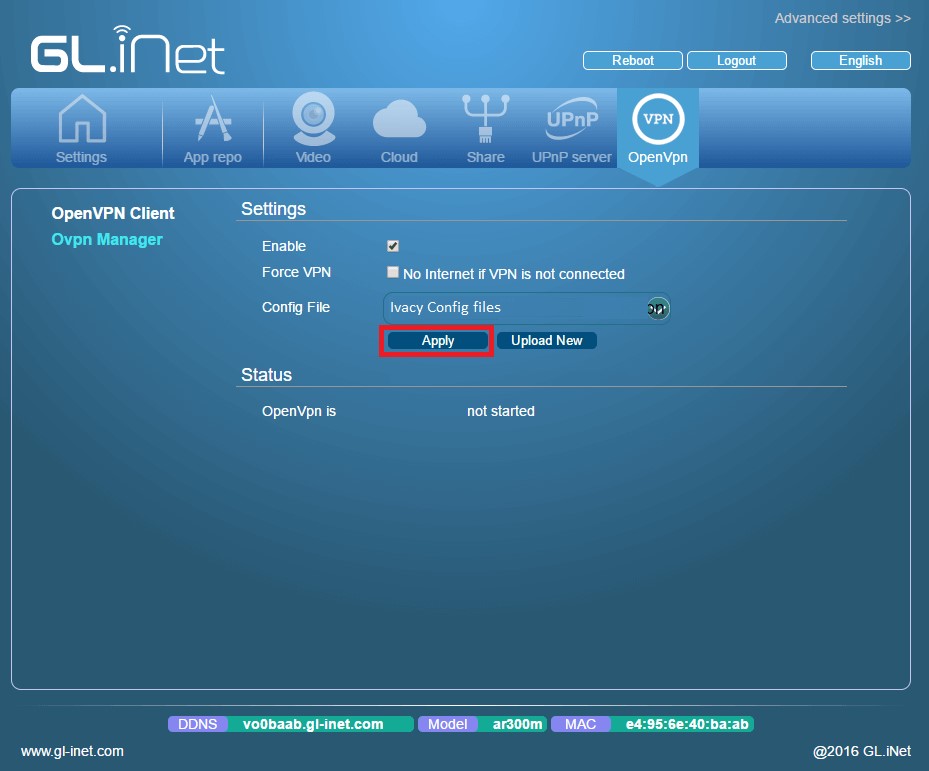
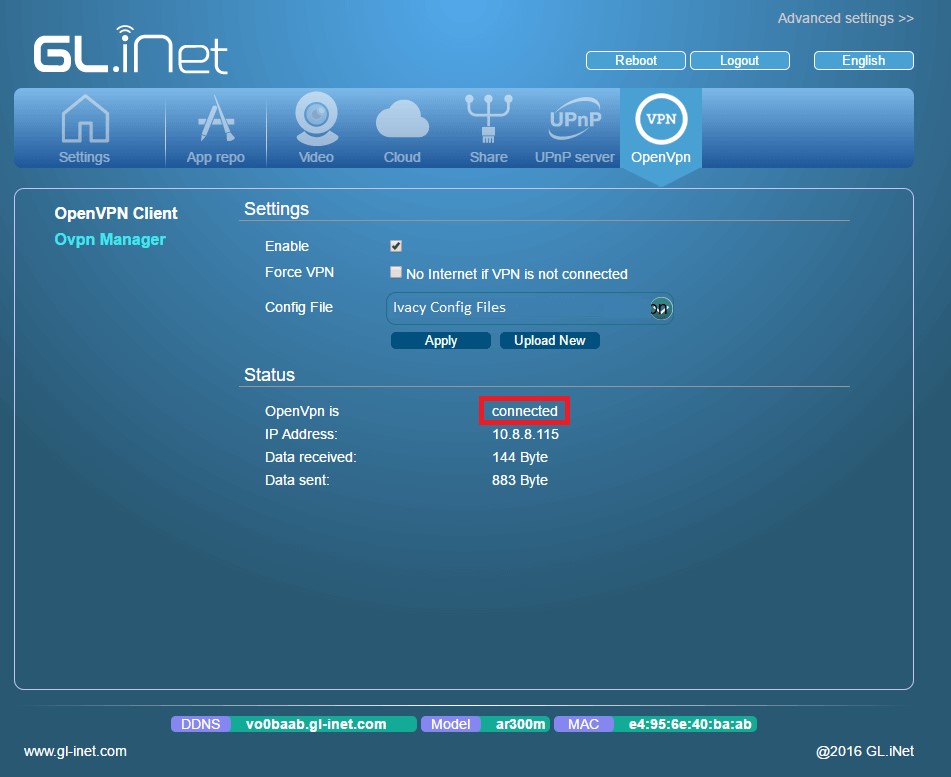
- You are now connected.