Setup Guide
 VPN Use Cases
 Account & Billings
 Video Tutorials
 Faq's
Faq's

How to download the Wireguard configuration file
 10771 Views
 February 20, 2024
 Andrew
 No Comments
 15
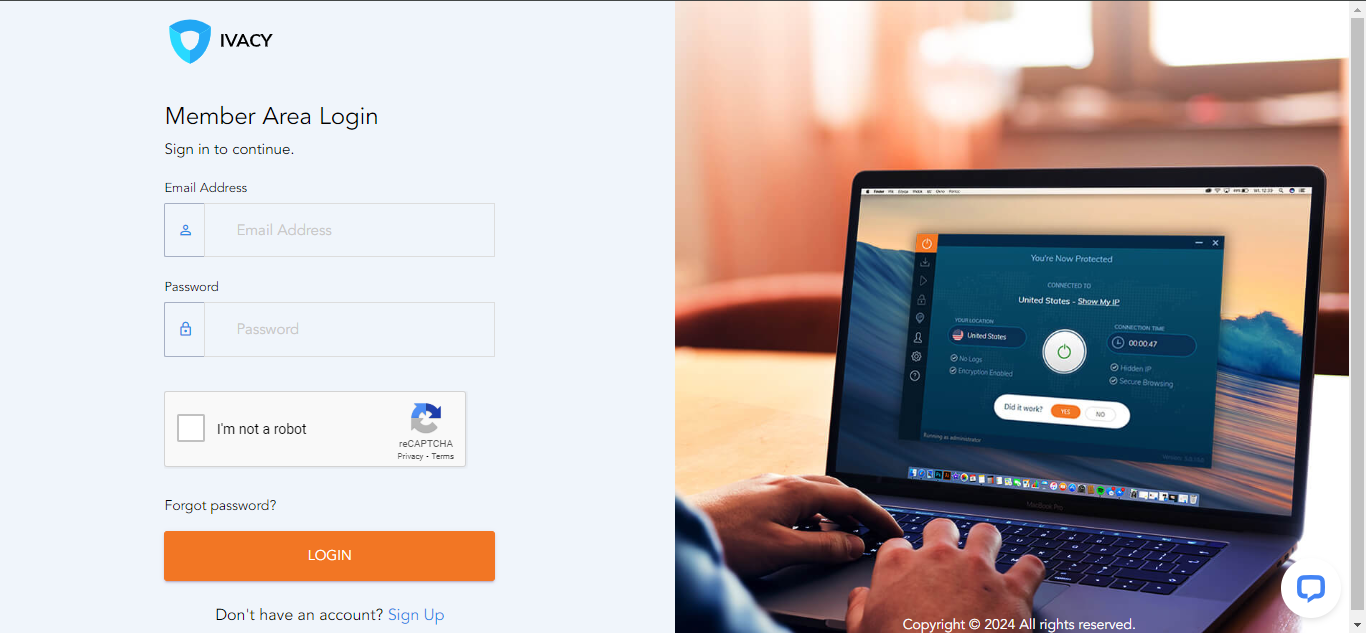
15- Login to your member area using the following link: https://member.ivacy.com/
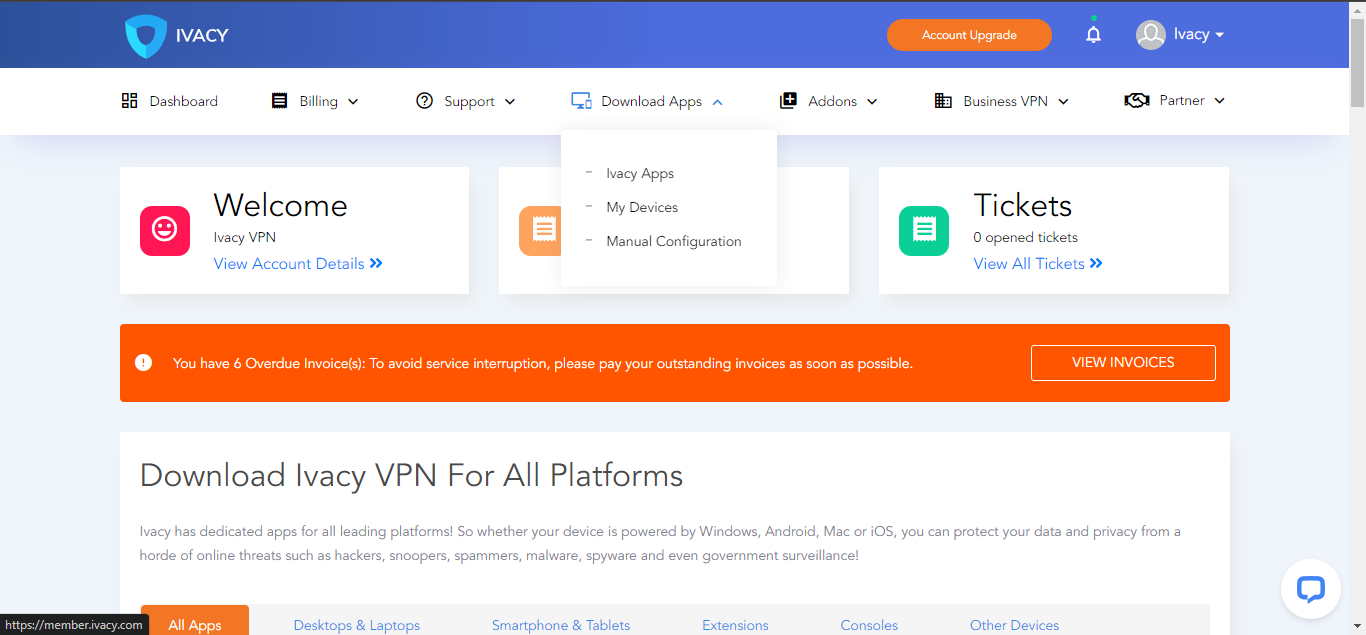
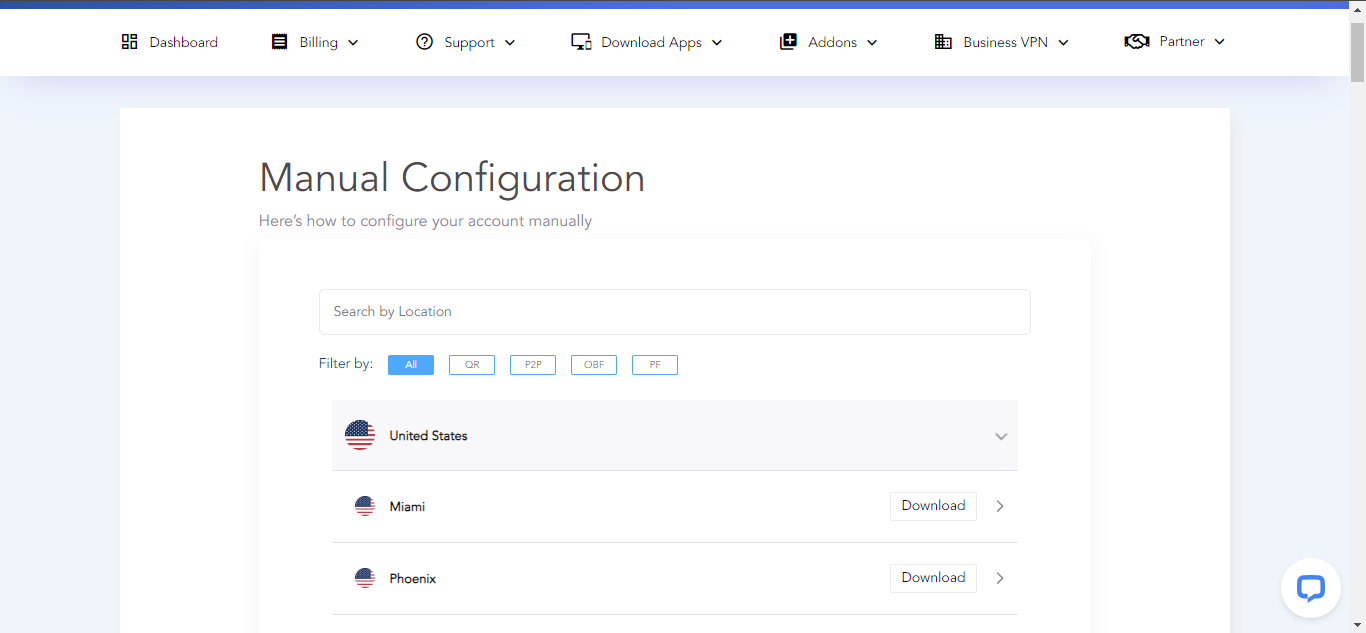
- Click on “Download Apps” and then select “Manual Configuration”
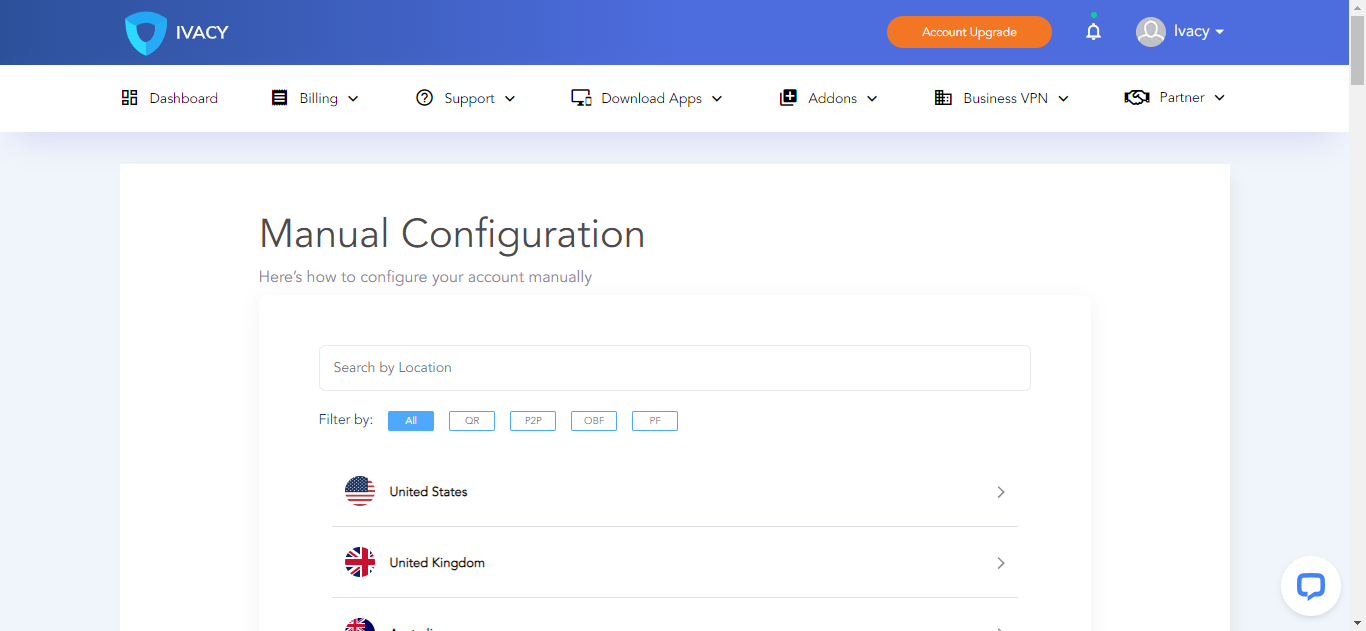
- Choose your desired location by clicking on the arrow associated with the location for downloading the configuration file
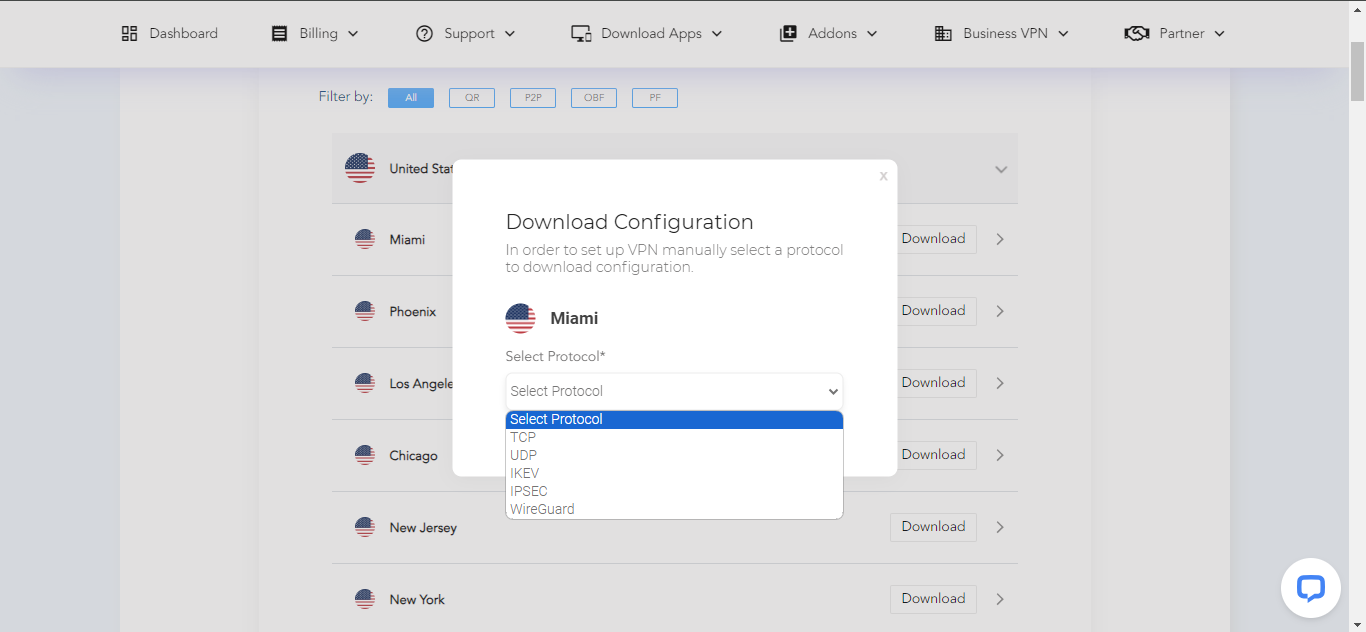
- Click on the “Download” button
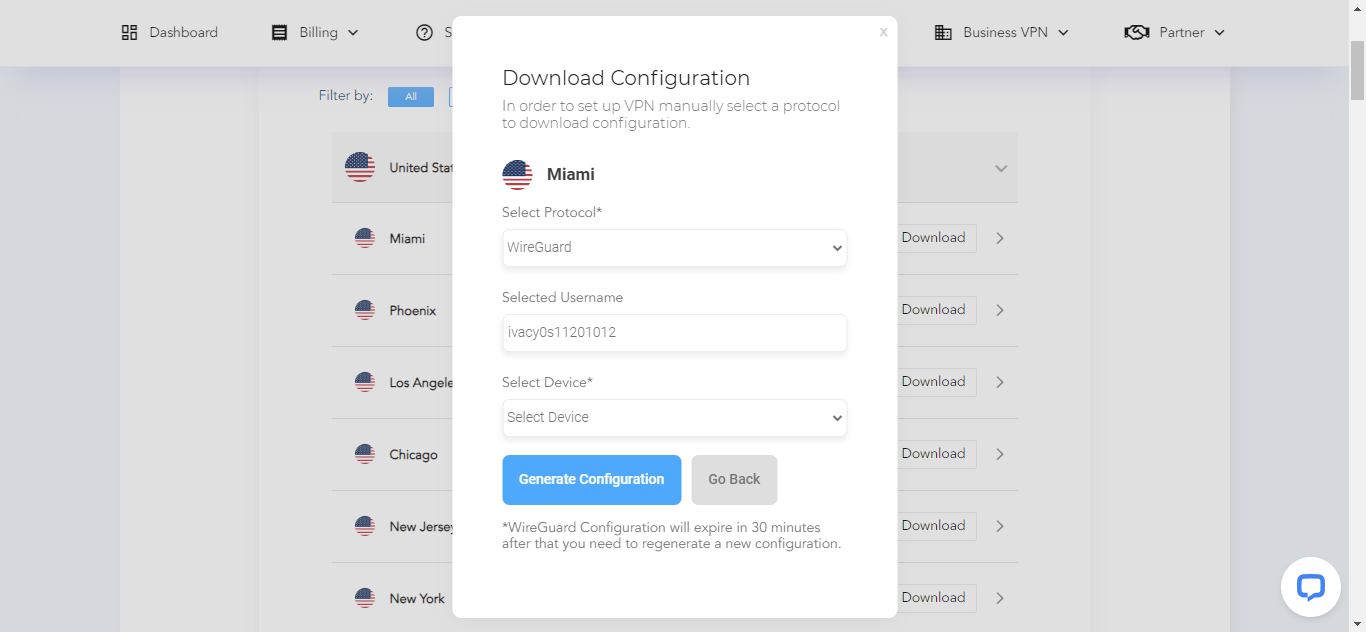
- Choose “Wireguard” from the options
- Choose your device and then click on “Generate Configuration”